The starting point
I remember the first call with Rishab Kohli, Orient's director. He pulled up a spreadsheet with about forty things his team wanted AI to do. Marketing emails. Pricing calculators. Troubleshooting guides. The list went on.
I asked him a simple question: “Which of these does someone on your team spend the most time on every single week?” He paused. That pause told me everything I needed to know. They had ideas. What they didn't have was a starting point.
Orient isn't a startup. They've been manufacturing printing presses since 1946. Seven departments: Marketing & Sales, Design, Supply Chain, Production & Maintenance, Accounts, HR & IT, and Servicing. A custom-built ERP. A product catalogue that spans offset printing presses, flexographic presses, inkjet digital presses, folder gluers, and converting machines. Over 20,000 units installed in 50+ countries.
The complexity is real. And honestly, that's what made it exciting.
Two weeks on the factory floor
I didn't start with a strategy deck. I started by watching people work.
What does someone in procurement actually do when they need to source a component? What happens when a sales engineer gets a call asking for a quote on a C-Series digital press? Where do mistakes happen? Where does work pile up and sit there for days?
Over two weeks, I documented every repeatable workflow across all seven departments. I talked to the people doing the work, not just their managers. By the end, I had a matrix of 49 distinct use cases, each scored by impact, feasibility, and dependencies.
Some of what I found genuinely surprised me:
- Sales was spending 3–4 hours per offer document. They were manually pulling pricing from spreadsheets, formatting specifications, attaching the right terms and conditions (different for domestic vs. international), and assembling an 8-page branded PDF. Dozens of these per month. Every single one built from scratch.
- Supply Chain was writing RFQs from scratch every time, even though 80% of the content was templatable. Vendor comparison reports? Manual Excel exercises that ate up a full day.
- Service engineers were troubleshooting from memory. Calling senior colleagues, flipping through physical manuals. No searchable knowledge base existed.
- HR was writing job descriptions ad hoc, producing inconsistent postings across recruitment portals. Payroll processing involved manual PF, ESI, and TDS calculations every cycle.
- Production reviews relied on manually assembled presentations that took hours to compile from scattered data sources.
None of these were unsolvable problems. But collectively? They represented hundreds of hours per month of work that could be structured, accelerated, or eliminated entirely.
Why I split it into 18 projects instead of 7
My first instinct was to organise by department. One AI project for Sales, one for HR, one for Production. Clean and simple.
It didn't work.
I honestly didn't expect this to be a problem, but the use cases within the same department often need fundamentally different context. Marketing's “Offer Creation” needs a pricing database and terms and conditions files. Marketing's “SEO Workflow” needs web search access and keyword data. When I crammed both into the same project, the context window got bloated, instructions got confused, and the output became unreliable. Sound familiar?
So I restructured. 18 functional projects grouped by workflow cluster:
- Sales Proposals & Pricing, covering offer creation, instant price generation, configuration recommendations
- Sales Communications, covering CRM updates, automated follow-ups, outreach drafting
- Vendor Management & Procurement, covering vendor discovery, RFQ generation, purchase orders, cost analysis
- Service & Troubleshooting, an AI troubleshooting assistant backed by technical manual knowledge base
- Financial Operations, covering invoice generation, MIS reports, Excel analysis
- Recruitment & Talent, covering job descriptions, KRA/KPI generation
- Payroll & HR Operations, handling salary sheet generation with Indian statutory compliance (PF, ESI, TDS)
- ERP Development Assistant, a coding assistant for their custom-built ERP system
Each project got its own instructions, its own knowledge files, and its own rules. That separation was the whole game. It meant I could optimise, test, and deploy each one independently.
Rolling it out in tiers
49 use cases can't ship at once. Some needed nothing more than well-written instructions. Others required integration with Orient's custom ERP. A few depended on external systems that didn't exist yet.
I designed a four-tier rollout, and the tiering turned out to be one of the most important decisions of the whole engagement:
- Tier 1: Quick Wins (Weeks 1–4). 14 use cases that needed only project instructions and knowledge files. No integrations, no custom development. Email writing across all departments, instant price calculations, job description generation, Excel analysis, ERP coding assistance.
- Tier 2: Structured Documents (Months 2–3). 14 use cases requiring document generation capabilities. Offer creation with branded PDFs, BOM generation, RFQ templates, vendor reports, production review presentations, payroll processing.
- Tier 3: ERP Integration (Months 3–6). 14 use cases that needed a custom connector to Orient's ERP system. Purchase order creation, inventory tracking, invoice generation, sales forecasting, automated reorder alerts.
- Tier 4: Advanced AI (Month 6+). 7 use cases requiring external system integration. AutoCAD script generation, predictive maintenance from IoT sensors, AI travel desk with booking APIs, image and video generation.
Here's why the tiers mattered so much: Orient started seeing results in the first month while the more complex integrations were still being built. By the time Tier 3 rolled out, the team had already been using AI daily for three months. Adoption wasn't something I had to push. It was already a habit.
The offer generator (where it got personal)
This became the flagship deployment, and it's the one I'm most proud of.
Before AI, creating a customer offer for a digital press took 3–4 hours. A sales engineer would pull pricing from a master spreadsheet (five sheets covering C-Series 600/1200 and L&P 600/1200 configurations plus extra colour options), manually calculate head counts based on print width and colour configuration, apply the 20% gross margin, format the specification, select the right terms and conditions (domestic vs. international), and assemble everything into a branded 8-page document.
After deployment? 30 minutes.
I built it in two steps. First, the sales engineer enters the machine specification into a Claude AIproject I configured with Orient's pricing logic, product knowledge base, and full terms and conditions. Claude AI calculates the correct pricing, including head count formulas, add-on components (unwind systems, IR drying, coating units, RIP software, sheeters), and installation costs. It outputs structured data across five sections: cover data, machine specification, equipment pricing, T&C reference, and delivery terms.
Second, that structured output feeds into a dashboard tool that generates a branded 8-page DOCX with Orient's boilerplate pages (company overview, product introduction, client logos, press configuration diagrams) and the calculated pricing pages.
I also baked in safety rules: the system will never reveal internal costs or partner margins to the customer. Review gates require confirmation before finalising pricing on non-standard configurations. The output format is locked to Orient's brand standards.
This isn't a prompt. It's a production system. That distinction matters more than anything else I could tell you about instruction engineering.
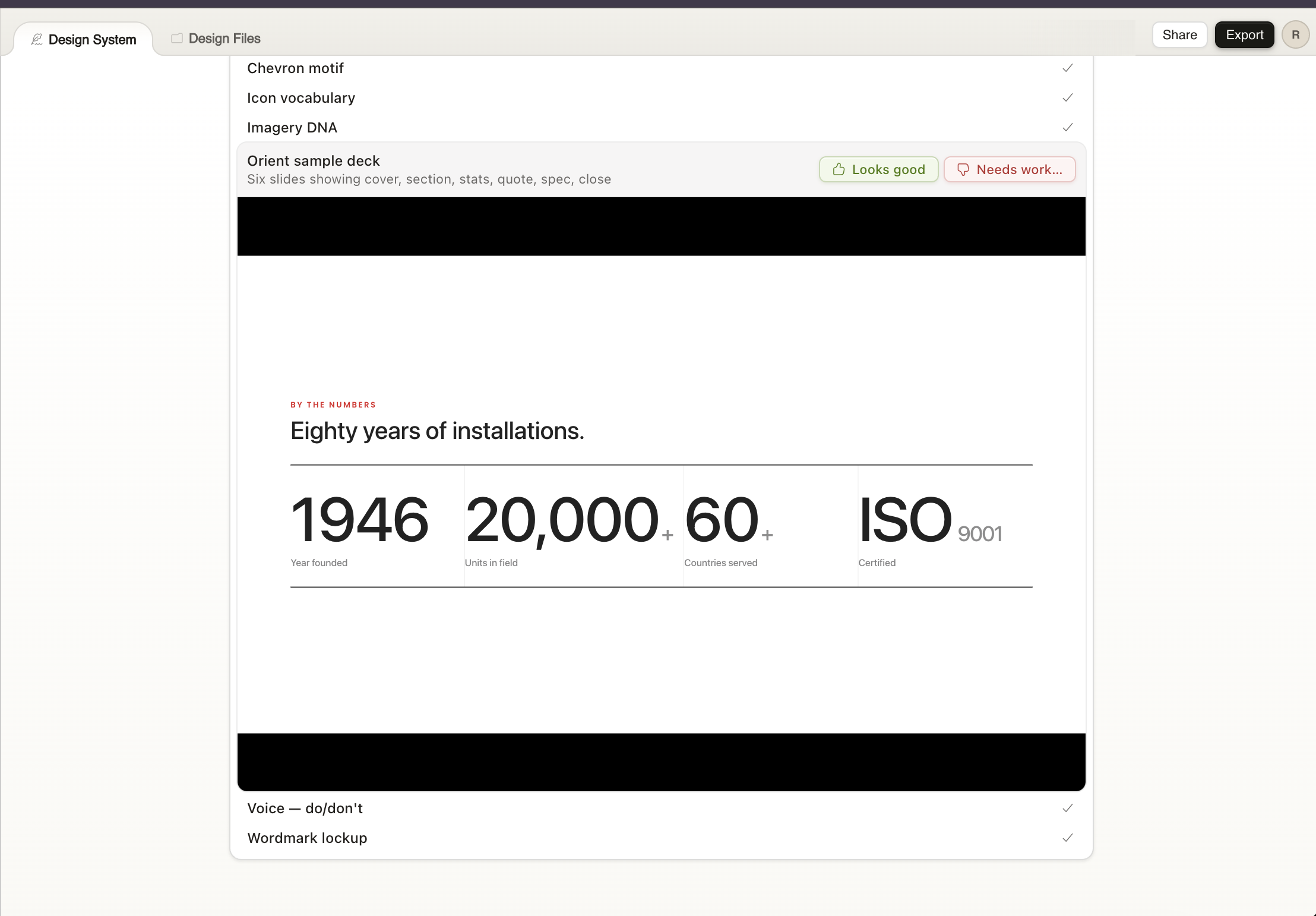
The brand standards the offer generator enforces weren't abstract. They were built in the same engagement. Settle's canvas generated Orient's type scale, chevron motif, imagery DNA, and the eighty-years-of-installations stats slide — every asset reviewed item-by-item by Orient's marketing lead before it shipped.
Eleven projects live
By the end of the first engagement, eleven projects were in production:
- Offer Generator.85% reduction in document creation time. Previously 3–4 hours, now 30 minutes. Dozens of offers generated per month.
- Instant Price Calculator. Real-time pricing from natural language input. Sales engineers get accurate quotes in seconds instead of manually navigating pricing spreadsheets.
- Configuration Suggestor. Customers describe their printing requirements, the system recommends the optimal machine configuration. Reduced back-and-forth between sales and engineering.
- Email Writer (all departments).Context-aware email drafting tuned to Orient's tone and terminology. Deployed across Marketing, Supply Chain, Production, Accounts, HR, and Servicing.
- RFQ Generator. Templated request-for-quote documents generated from component specifications. Cut procurement preparation time by 60%.
- Vendor Analysis Reports. Automated vendor comparison reports from uploaded cost data. What used to take a full day now takes under an hour.
- Service Troubleshooting Assistant.AI-powered diagnostics backed by Orient's technical manuals. Engineers describe symptoms, get ranked root causes and diagnostic steps. Reduced average troubleshooting time and dependence on senior staff for routine issues.
- BOM Generator. Structured bills of materials from order specifications. Automated what was previously a manual, error-prone process.
- Job Description Generator.Manufacturing-context job descriptions with consistent formatting across all recruitment portals.
- Excel AI Assistant. Natural language analysis of financial and operational spreadsheets. The Accounts team uses it daily for data analysis without writing formulas.
- ERP Coding Assistant.Development support for Orient's custom ERP system. The IT team loaded the ERP schema into the project's knowledge base, giving Claude AI full context on their codebase.
The numbers (after 90 days)
I want to be straightforward about the results. These aren't projections. This is what happened after 90 days of production use:
- Document generation time: 85% reduction. Offers, RFQs, BOMs, reports, and presentations that previously took hours are now produced in minutes.
- Estimated $200,000+ in annual labour savings, calculated across all deployed use cases based on hours saved per task multiplied by frequency and fully-loaded employee cost.
- 400+ hours saved per month across all departments, from eliminated manual document assembly, reduced troubleshooting time, automated procurement prep, and streamlined communications.
- Task-level time reduction: 4 hours → 30 minutes on the highest-impact use case (offer generation), with similar ratios across RFQ creation, vendor analysis, and production reporting.
- Error reduction in pricing.Instruction-enforced calculation logic eliminated the manual errors that previously occurred when sales engineers navigated complex pricing spreadsheets by hand.
- 11 custom skills built, including a pricing calculator, configuration suggestor, BOM generator, Indian payroll processor with statutory compliance, and a troubleshooting assistant.
What's next
Orient is now in Tier 3, building a custom connector to their ERP system. This will unlock the remaining 14 use cases that require live data: automated purchase orders, inventory tracking, invoice generation, sales forecasting, and reorder alerts.
Tier 4 is on the horizon. AutoCAD script generation for the Design team, predictive maintenance from machine sensor data, and an AI-powered travel desk for the Service team's field visits.
But the part I find most interesting is the longer-term vision. Orient plans to take the use cases that delivered the strongest ROI internally and rebuild them using the Claude API and Agent SDK, offering them as AI-powered tools to other printing and packaging companies worldwide. They want to go from buyer of AI to seller of it.
When I started this engagement, I wasn't sure a 79-year-old manufacturer could move this fast. I was wrong. They went from zero AI to deploying it across every department in six months. And they're not slowing down.