Beyond the 7-Day Playbook: Deploying Claude AI Across a Real Organization
Ruben Hassid's viral guide to setting up Claude AI for your team is one of the best starting points we've seen. But what happens when your team isn't 10 people in a Notion-native startup — it's 200 people across 7 departments, with a custom ERP, compliance requirements, and floor workers who don't use email?
The playbook that started a conversation
Last month a prospect forwarded me Ruben Hassid's “How to set up Claude AI for your team in 7 days” and asked, “Can we just do this?” I told him yes. Genuinely. It's one of the best Claude AI setup guides I've seen. Clear steps, real examples, no fluff. If you haven't read it, stop here and go read it.
The guide walks you through creating Claude AI projects, writing custom instructions, uploading knowledge files, and gradually rolling out access. For a team of 10 to 30 people, mostly knowledge workers, mostly comfortable with technology, it's an excellent framework. Day one: set up the workspace. Day three: write your first custom instructions. Day seven: your team is using Claude AI with real context.
I've sent it to prospects myself. I reference it in almost every sales conversation. It's genuinely useful.
But here's the thing. I keep having the same follow-up conversation, almost word for word. “We tried something like this, and it didn't stick.” Or: “This works for our marketing team, but what about the other six departments?” Or (most commonly): “We don't have anyone who can write instructions at this level.”
So this is a post about where the DIY playbook ends and what comes after it.
Where the 7-day approach works
Ruben's guide is built for a specific kind of team, and it serves that audience really well.
It works when your team is small enough that one person can be the Claude AI champion. When most of your workflows are text-based: writing, research, analysis, communication. When your team already lives in modern tools like Slack, Notion, and Google Workspace. When you don't have significant compliance constraints. When the person writing the instructions is also the person using them, or at least sits ten feet away.
In that world, seven days is realistic. One motivated person sets up a Claude Team workspace, writes solid custom instructions for three or four use cases, uploads the relevant knowledge files, and gets a small team running. The feedback loop is tight. If the instructions are wrong, someone notices within the hour and fixes them.
That describes a lot of companies. Agencies, consulting firms, early-stage startups, small professional services teams. For them, the DIY route isn't just viable, it's probably the right call. You don't need external help to set up Claude AI for a 15-person marketing agency. You need Ruben's guide and a free afternoon.
Where it starts to break
The cracks show up in three places. I didn't anticipate the third one, and it turned out to be the biggest.
Organizational complexity
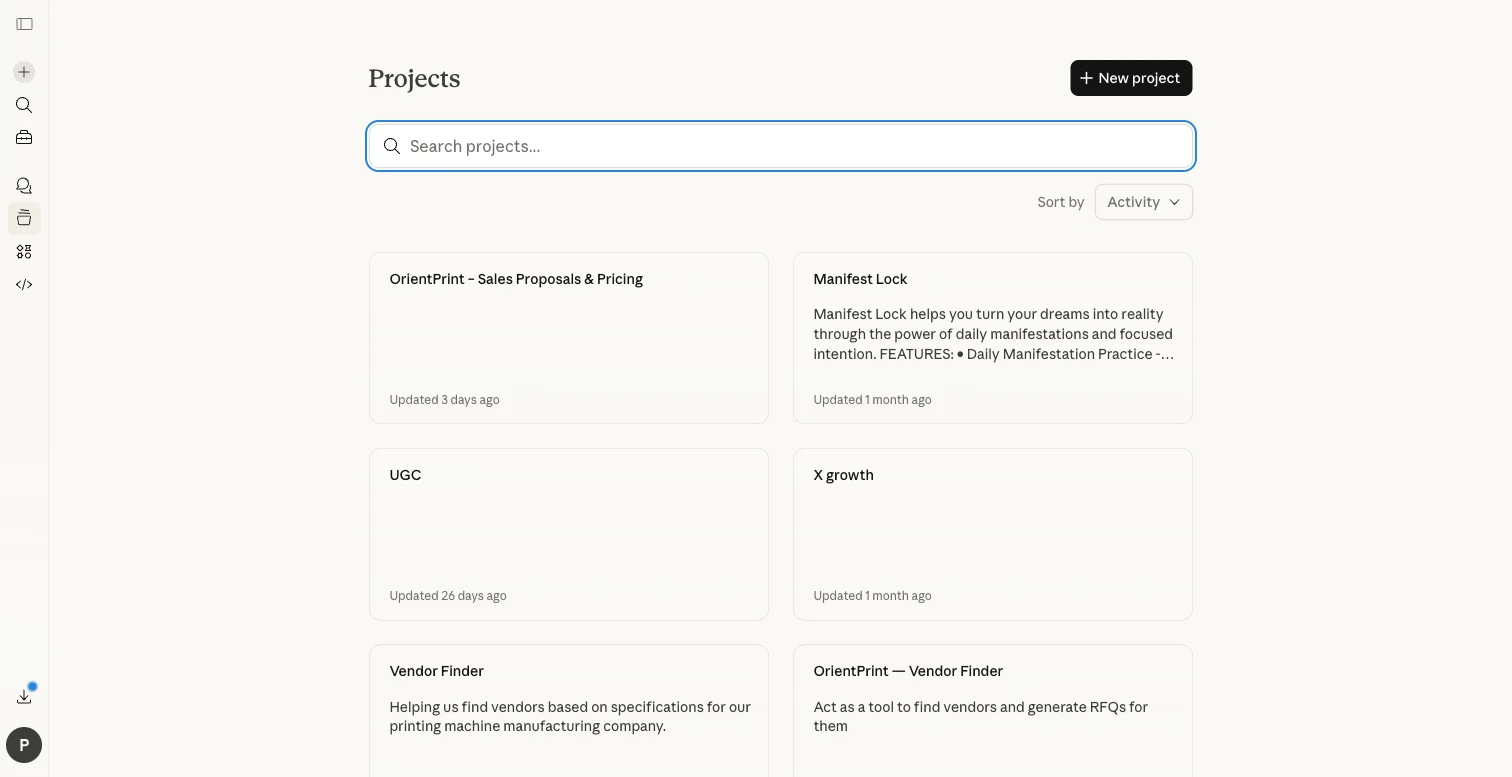
When a company has seven departments instead of two, the number of workflows doesn't grow linearly. It grows combinatorially. Sales needs to generate offers. But those offers pull pricing from a master spreadsheet that lives with Finance, require terms and conditions that vary by country, and need to match brand standards maintained by Marketing. Try stuffing all of that into a single Claude AI project. It gets bloated fast, and the outputs start drifting.
When I mapped workflows at Orient Printing & Packaging (our first client), I found 49 distinct use cases across seven departments. My first instinct was to organize by department: one project for Sales, one for HR. It didn't work. Use cases within the same department often needed fundamentally different context. I ended up structuring 18 separate projects, each with its own instructions, knowledge files, and rules. That kind of architecture doesn't come out of a 7-day sprint.
Technical complexity
Most mid-market manufacturers run a custom-built or heavily customised ERP. Their pricing lives in spreadsheets that have been maintained for years. Their product catalogues have hundreds of configurations with interdependent options. Their documents follow brand templates that took someone weeks to build.
Claude AI can work with all of this. But the instructions need to encode real business logic: head count formulas based on print width and colour configuration, 20% gross margin calculations, different terms for domestic versus international customers, safety rules that prevent internal cost data from leaking into customer-facing documents. This is instruction engineering, not prompt writing. The difference matters the same way the difference between a script and a production system matters.
Anthropic has given us a remarkably capable model in Claude AI. But capability without structure is just a chat window. The structure is where the value lives.
Human complexity
This is the one I underestimated.
In a 200-person manufacturer, the people who would benefit most from AI are often the ones least equipped to set it up. Think about it: a service engineer who spends hours digging through physical manuals for troubleshooting steps isn't going to write their own Claude AI instructions. A procurement officer generating RFQs from scratch every time doesn't know what a “knowledge file” is. A floor supervisor in a factory outside a major city might not work primarily in English.
The 7-day playbook assumes the person setting up Claude AI and the person using it are either the same person or sitting close together. In a larger organisation, they're often separated by several layers of hierarchy, different physical locations, sometimes different languages. Adoption at that point isn't a matter of sharing a project link. It's change management.
What structured deployment actually looks like
I started Settle because I kept seeing the same gap. Companies knew Claude AI could help. Some had even tried the DIY approach. But they couldn't get from “a few people experimenting” to “the whole organisation using this daily.”
My approach has four phases. Nothing revolutionary. Just thorough.
Phase 1: Workflow mapping
Before I write a single instruction, I map every repeatable workflow in every department. Not at a strategy level, but at the task level. What does someone actually do, step by step, when they create a purchase order? Where does the data come from? Where do errors happen? Where does work pile up and wait?
At Orient, this produced a matrix of 49 use cases, each scored by impact, feasibility, and dependencies. It took two weeks. The output was a prioritised roadmap that told me exactly what to build, in what order, and why.
This is the step most DIY deployments skip entirely. And honestly, it's the step that determines whether the whole thing generates real value or becomes a novelty that fades after month one.

Phase 2: Instruction engineering
Each project gets production-grade instructions. Not a paragraph of guidance, but a complete specification of how Claude AI should behave for that specific workflow.
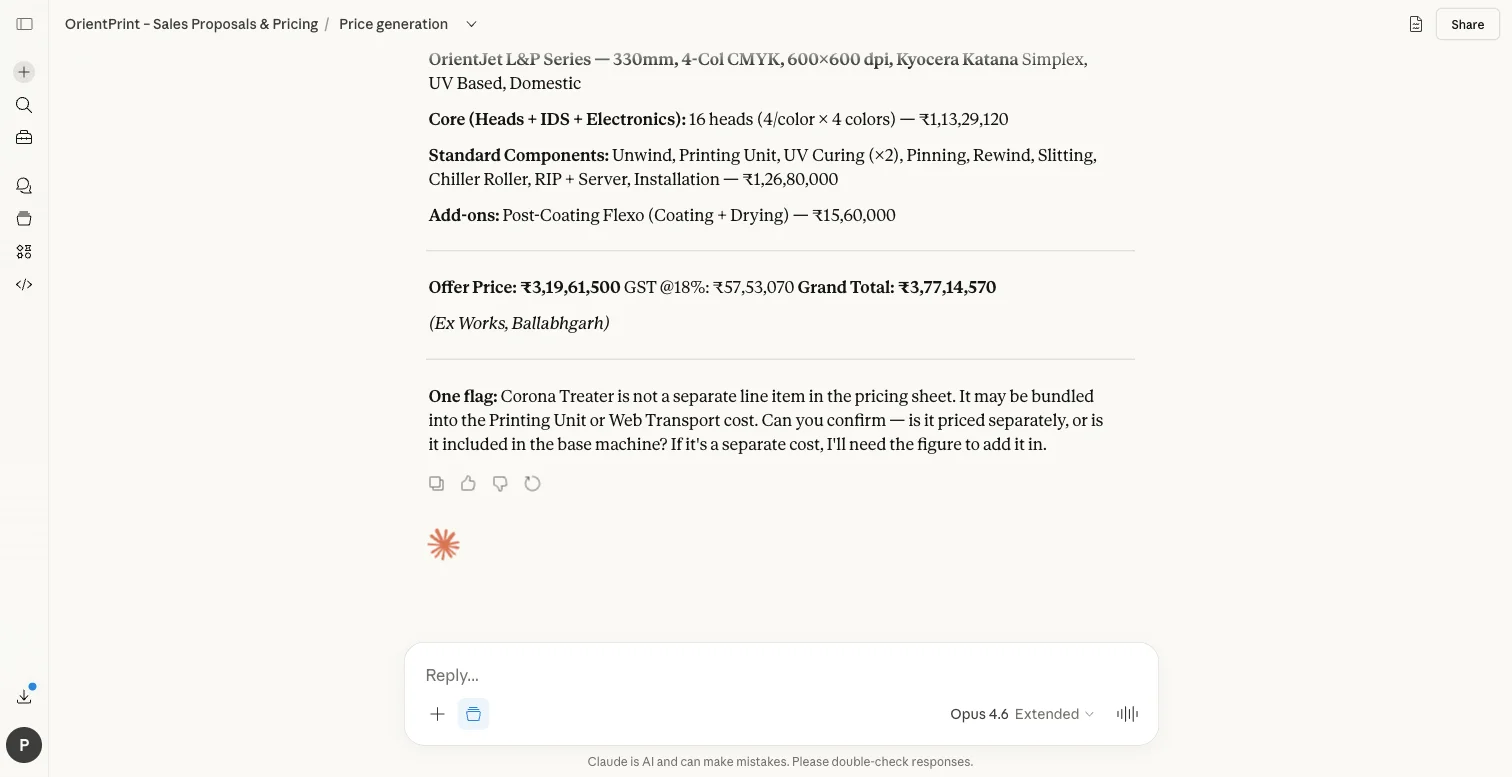
Take Orient's offer generator. The instructions encode their entire pricing logic: five spreadsheets covering different press configurations, formulas for calculating print heads based on width and colour, add-on component pricing, installation costs, and output formatting rules that match their 8-page branded document template. There are safety rules (never reveal internal costs or partner margins) and review gates that require human confirmation before finalising non-standard configurations.
That single project took a document that previously required 3–4 hours of manual assembly down to 30 minutes. The instructions are several pages long. Writing them required understanding not just how Claude AI works, but how Orient's pricing works, how their sales process works, and where the edge cases hide.
That's what instruction engineering means in practice. It's the skill that turns Claude AI from a general-purpose assistant into a tool that knows your business.
Phase 3: Tiered rollout
Not everything ships at once. I design a phased rollout based on implementation complexity:
- Tier 1: Use cases that need only instructions and knowledge files. No integrations. These ship in weeks one through four and start building the habit of daily use.
- Tier 2: Use cases requiring document generation or structured output. Templates, branded formats, multi-step workflows.
- Tier 3: Use cases that need integration with existing systems. ERP connectors, database access, API calls.
- Tier 4: Advanced capabilities. External system integration, predictive features, production tooling.
Here's why the tiering matters so much: by the time Tier 3 rolls out, the team has already been using AI daily for months. They're not sceptical anymore. They're impatient for more.
Phase 4: Measurement
Every deployment gets tracked against concrete metrics. Time saved per task. Error reduction. Monthly hours recovered. Cost savings calculated against fully-loaded employee cost.
At Orient, after 90 days: 85% reduction in document generation time. 400+ hours saved per month across all departments. An estimated $200,000+ in annual labour savings. Eleven projects in production, with seven more in development.
Those aren't projections. They're measurements from production use. I was honestly surprised by some of those numbers myself.
The instruction engineering gap
If I had to name the single biggest reason DIY deployments stall, it's this: writing good instructions is genuinely hard.
It looks easy. You open a Claude AI project, type some guidance in the instructions field, and it seems to work. Then you hit the first edge case. The pricing formula doesn't account for the new product line. The output format breaks when there are more than five line items. The instructions contradict themselves when the user asks for something slightly outside the happy path. The knowledge files are too large and Claude AI starts hallucinating details from the wrong document.
Sound familiar?
Good instruction engineering requires understanding both sides: how Claude AI processes instructions (context windows, knowledge file retrieval, instruction hierarchy) and how the business actually works (edge cases, exceptions, compliance rules, the things that only surface when you sit with the person doing the job).
It's a new skill. Anthropic has made incredible tools available, and Claude AI is the most capable modelI've worked with. But the gap between what the tools can do and what most organisations can extract from them is still wide. That gap is what I exist to close.
Being honest about where I am
I'm early. Orient is my first client. I don't have a roster of fifty case studies to point to.
What I do have is a deployment that went from zero to 11 production projects across seven departments, with real numbers behind it. A methodology that worked at a 79-year-old manufacturer with a custom ERP, complex pricing logic, multi-country operations, and workers across a wide range of technical comfort levels.
And I have a clear-eyed view of who needs me and who doesn't. If you're a 20-person agency, you probably don't. Follow Ruben's playbook. It's good. If you're a 200-person manufacturer with seven departments and a legacy ERP, and you tried the DIY approach and it stalled after the first department, that's where I come in.
The case for “yes, and”
I think about Ruben's guide the way I think about a great tutorial. It teaches you the right concepts. It gives you real skills. And eventually, if your needs are complex enough, you outgrow it. Not because it was wrong, but because your situation demands more.
The 7-day playbook is how you learn to deploy Claude AI. Structured deployment is how you deploy Claude AI at scale.
Both are necessary. The first builds conviction that AI can actually help. The second turns that conviction into organisation-wide results.
If you're somewhere in between (past the tutorial, not yet at scale), I'd genuinely enjoy talking through what the path forward looks like for your company. Start a conversation →
Related
Founder of Settle. Deploys Claude AI into mid-market companies and manufacturers — structured rollouts, production-grade instructions, real results.
Ready to go beyond the playbook?
We help manufacturers and mid-market companies deploy Claude AI across every department — structured rollouts, production-grade instructions, and measurable results. Start a conversation →