Why build a site with a CLI tool?
I run a full-stack AI agency. I spend my days helping manufacturers and mid-market companies integrate Claude AI into their operations. So when I needed a website for Settle, the question wasn't really whether to use Claude AI. It was how far I could push it.
The tool I used was Claude Code, Anthropic's CLI agent for software development. Not the web chat at claude.ai. Claude Code runs in your terminal, reads your codebase, writes files, runs commands, and commits to git. It operates on your actual project, not in an isolated sandbox.
My workflow was simple: describe what I wanted, let Claude Code write the components, review the output in the browser, screenshot anything broken, and paste it back. The entire site (Next.js 16, Tailwind CSS v4, D3.js, deployed on Vercel) was built this way. Every commit in the git history came from a Claude Code session.
Starting with the hardest thing first
I wanted an interactive 3D globe on the hero section. Rotating slowly, plotting geographic points, smooth 60fps. The kind of thing that looks simple on a Dribbble shot but involves sphere geometry, projection math, mouse interaction handlers, and performance work to keep it smooth on older devices.
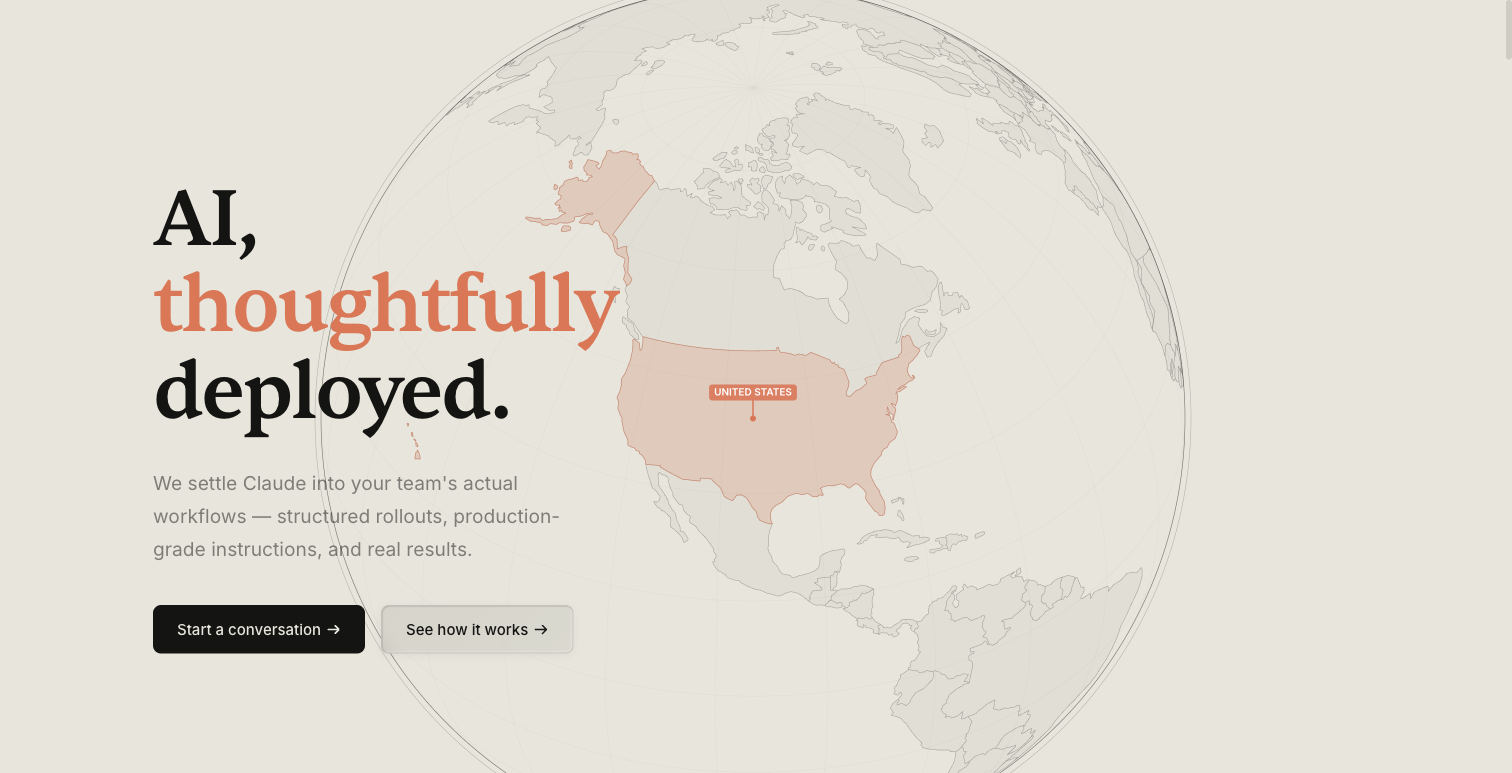
I described the visual I wanted: minimal, light-themed, country outlines, pin markers. Claude Code generated the component, including the WebGL setup, GeoJSON parsing, and the animation loop. First try.
Except the first try had clipping issues. The globe got cut off by its container's overflow-hidden. I screenshotted the problem, described it, and Claude Code restructured the container hierarchy. Then the pin labels weren't rendering at the right scale on mobile. Another screenshot, another fix. That became the pattern for the entire project: describe, generate, review, screenshot, refine. Nothing worked perfectly the first time. Everything worked by the third or fourth pass.
The Cowork demo
This was the section I was most nervous about. I wanted to show what Claude AI looks like when it's actually working inside a manufacturing context. Not a generic chat window, but something that communicates depth.
The result is an interactive replica of Claude AI's Chat/Cowork UI from claude.ai, adapted for Settle's light theme and contextualised for manufacturing. Tab switching between a BOM Template, a Vendor RFQ, and an SAP Connector. Each tab has its own content. Tooltips on hover. An animated progress panel with blur effects showing deployment status.
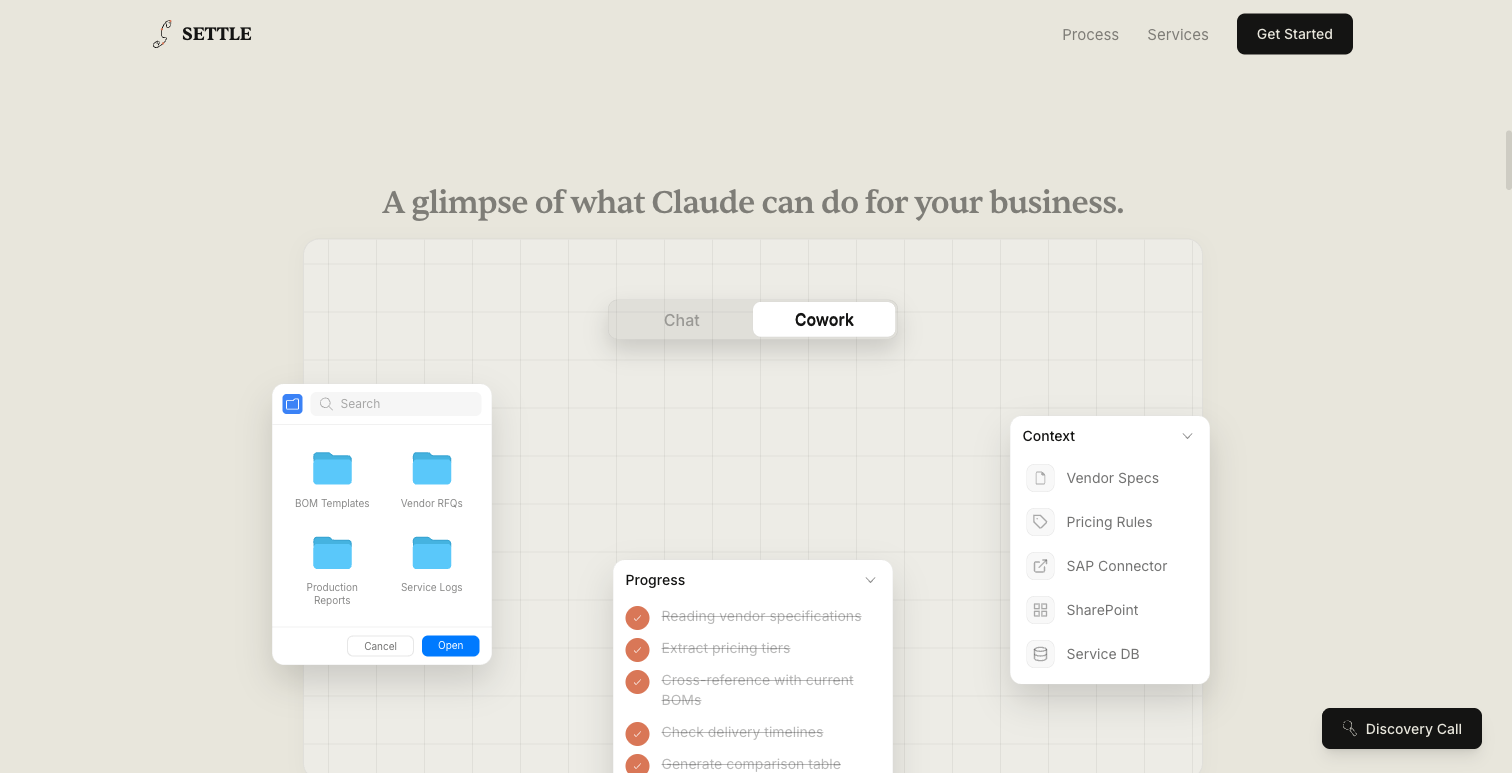
I started from Anthropic's actual login page source code. I gave Claude Code the reference HTML and asked it to port the layout into React components, swap the dark theme for our warm parchment palette, and replace the generic content with manufacturing-specific artifacts. The tab switching, hover states, animated progress bars, and backdrop blur effects all came out of a single session.
Then the z-index nightmare started.
CSS backdrop-filterbehaves differently depending on stacking context, and the initial output had conflicts that made certain panels render on top of the navigation. Have you ever debugged a stacking context issue? It's the kind of thing where the fix isn't tweaking a number. You have to understand how the browser composites layers. Claude Code resolved it by restructuring the component tree and isolating the blur layers into their own stacking contexts. That fix alone would have cost me an hour on Stack Overflow.
A D3 mindmap (and why force layouts are the worst)
The Services section needed to show four categories, each with multiple specific capabilities. A static list would work. But I wanted something people would actually interact with.
I built a D3 force-directed mindmap: a central node with four category branches, each branching into four child nodes, for a total of 16 hoverable capabilities. Hovering over a child node shows a tooltip. And the detail I'm happiest about: hovering over a service card on the left side of the page highlights the corresponding category branch on the mindmap.
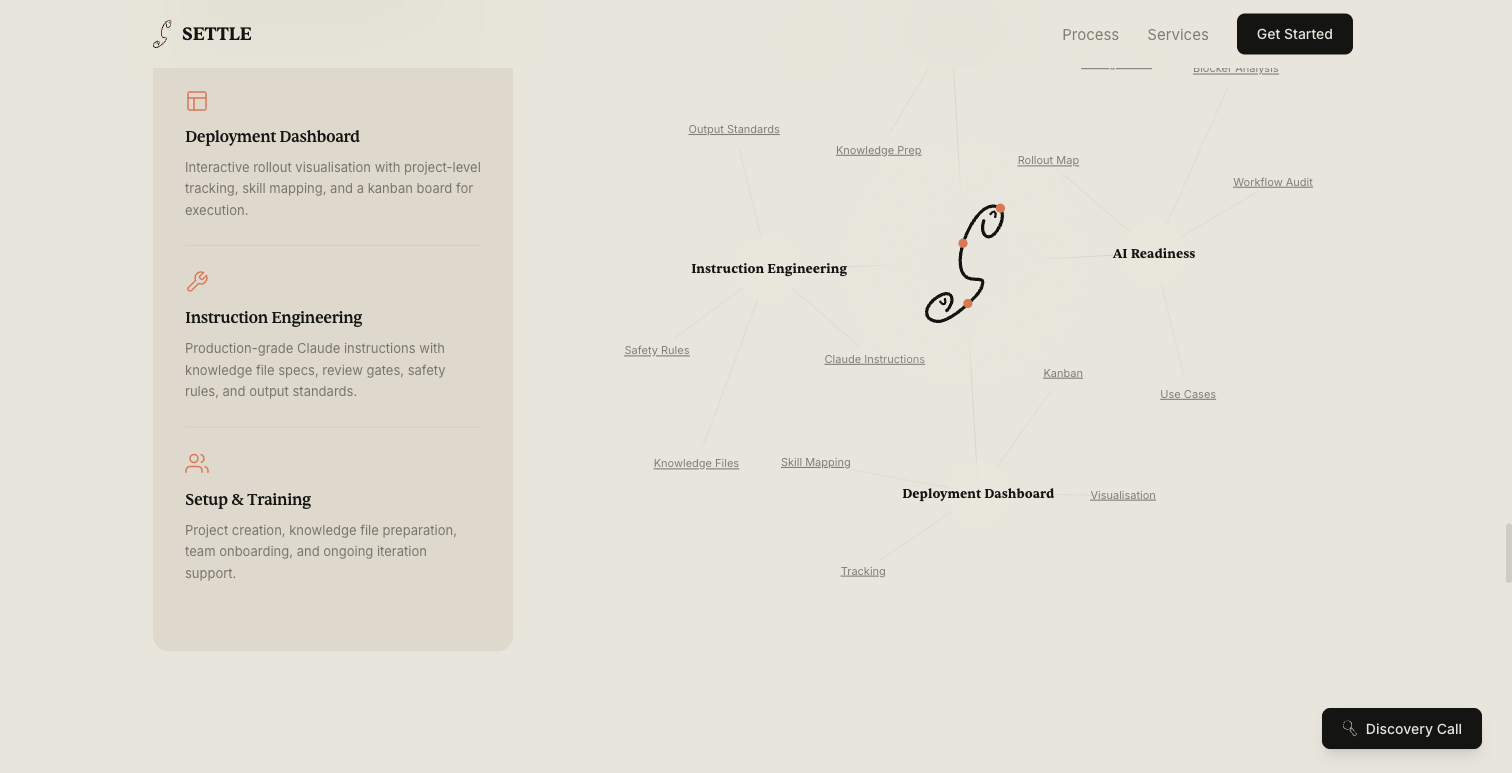
D3 force simulations involve configuring charge forces, link distances, collision radii, and tick handlers that update SVG positions on every animation frame. I described the data structure (four categories, four children each, with descriptions) and the interaction pattern I wanted. Claude Code produced the full D3 setup: force simulation, SVG rendering, hover handlers, tooltip positioning, and the cross-component highlighting that connects the cards to the graph.
Force-directed layouts are notoriously finicky. Nodes overlap, labels collide, the simulation either converges too fast or oscillates forever. I honestly didn't think Claude Code could tune these parameters well, but it surprised me. Getting it right took several iterations, sure. But each iteration was just a sentence of feedback and a new render. The whole mindmap was done in an afternoon.
The invisible work: SEO
Nobody notices SEO when it's done well. But try launching a new site without it.
I needed structured data, crawler rules, performance optimisation. The tedious-but-essential stuff. Claude Code set up the entire stack:
- JSON-LD schemas on every page: Organization, Service, FAQPage, Article, and BreadcrumbList types, each with the correct properties and nesting.
- FAQ with FAQPage schema, built with native HTML5
<details>/<summary>elements for the accordion, with structured data that qualifies for Google rich results. - robots.txt with AI crawler rules, including standard search engine directives plus explicit rules for AI training crawlers.
- XML sitemap with all pages and correct priorities.
- Open Graph and Twitter card metadata on every page.
- Security headers configured in the Next.js middleware.
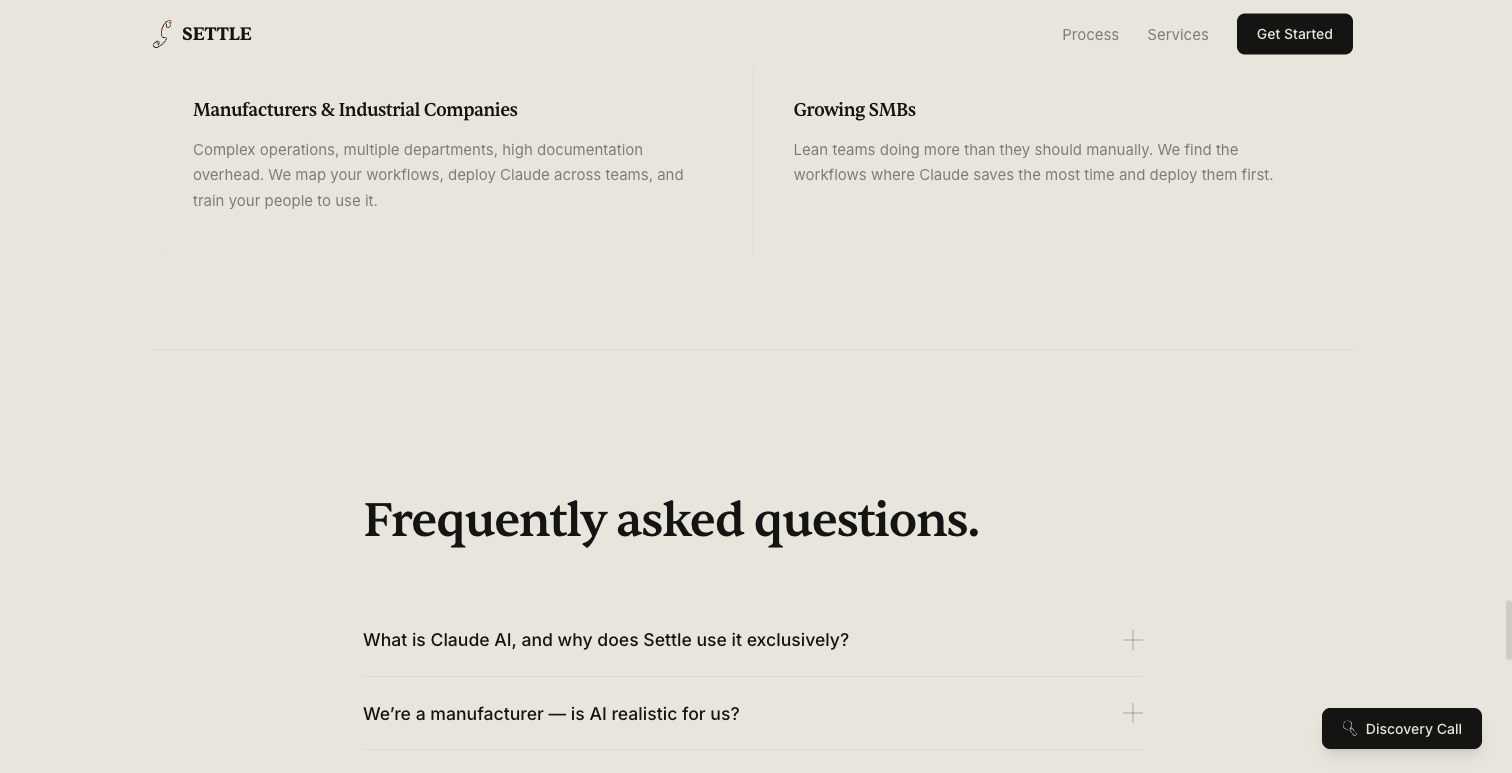
The structured data alone would have taken me hours to write by hand and debug against Google's validator. Claude Code generated all of it from a description of the pages and services, and updated it whenever I added new content. This was one of those moments where the time savings felt absurd.
The blog system
This post you're reading right now? It's on a blog system Claude Code built from scratch. Each post is a standalone Next.js page with full Article schema, BreadcrumbList markup, Open Graph metadata, and cross-links to related posts.
I deliberately chose not to use a CMS or MDX. Each post is a TSX file with prose content. No build pipeline for content, no API calls, no database. Simple. Claude Code generates each post as a component that follows the established pattern, including the metadata export, the JSON-LD script tags, and the prose styling.
Adding a new post means creating a directory, writing the page component, adding an entry to the index, and updating the sitemap. Claude Code handles all four steps in a single session.
Performance details that matter
I didn't leave performance for the end. Claude Code handled optimisation throughout the build:
- WebP image conversion. The original assets totalled 3.5MB. After conversion, 1.3MB. Claude Code identified the largest files, converted them, and updated all references.
- Lazy loading. Images below the fold use
loading="lazy"with explicitwidthandheightattributes to prevent Cumulative Layout Shift. - Explicit image dimensions. Every
<img>tag has width and height set so the browser can allocate space before the image loads. A small detail that most AI-generated code misses.
These details separate a proof-of-concept from a production site. I could describe the rule once and Claude Code would follow it everywhere, consistently.
What it actually felt like
I want to be honest about this. Building a site with Claude Code is not “type a prompt and get a website.” If you go in expecting that, you'll be disappointed.
It's closer to pair programming with a very fast partner who has read every documentation page but needs visual feedback to get the details right. The cycle was tight: describe a feature, review the output, screenshot the issues, get a fix. Most features went through three to five iterations. The globe needed clipping fixes. The Cowork demo needed z-index restructuring. The mindmap needed force parameter tuning.
Nothing was a first-try success. But each iteration took minutes instead of hours. That adds up fast.
Claude Code also handled the operational stuff that usually slows projects down: git commits with meaningful messages, sitemap updates when new pages were added, metadata consistency across all pages, the Vercel deployment configuration. The entire git history is Claude Code sessions.
The biggest advantage wasn't speed, though speed was significant. It was scope. One person built a site with a WebGL globe, D3 force simulations, production-grade SEO, and interactive demos. Features that would normally require a frontend developer, a data visualisation specialist, and an SEO engineer. Claude Code compressed that team into one terminal window.
Why this matters beyond our site
I built Settle's site this way because it's the same thing I do for clients, just at a different layer. I deployClaude AI into manufacturing operations, writing instructions, structuring knowledge files, mapping workflows. The principle is the same: Claude AI is remarkably capable when you give it the right structure and context.
For my clients, that structure is instruction engineering and workflow mapping. For this site, it was a well-configured Claude AI Code environment with clear visual feedback. The value isn't in the AI itself. It's in knowing how to direct it.
The site you're reading this on is the proof. Every pixel, every animation, every schema tag. Built in Claude Code.